
Custom login for readers on DeveloperHub is facilitated through the use of JSON Web Tokens (JWT). By implementing JWT login, you can enhance security and streamline the authentication process. Here's how it works:
You manage who can access your docs without needing to share a single password or link.
You can personalise the docs for the logged-in reader.
You decide when the access ends.
How JWT Login works
When JWT (JSON Web Token) login is enabled, the login process follows a specific sequence of steps:
The reader might arrive at the docs site without being logged in and will be redirected to the login page, or they may start from your website to reach the login page.
When users reach the login URL, your backend servers will sign a JWT token with an API Key that has
access.writepermission. They will then create a URL with the JWT token and redirect the user to it. This URL will point to your docs site.If a reader tries to access the docs site without logging in and includes a JWT token in the URL, our backend servers will check the token and generate an access token that expires based on the token's settings. The reader can then access the docs site.
When the reader access token expires, they cannot access the content and will be redirected to the login URL to start the process again.
We provide the URL that the reader tried to access in a query parameter called redirect. Your servers can read this parameter and use it as the redirect URL instead of the landing page of your docs.
How to enable JWT Login
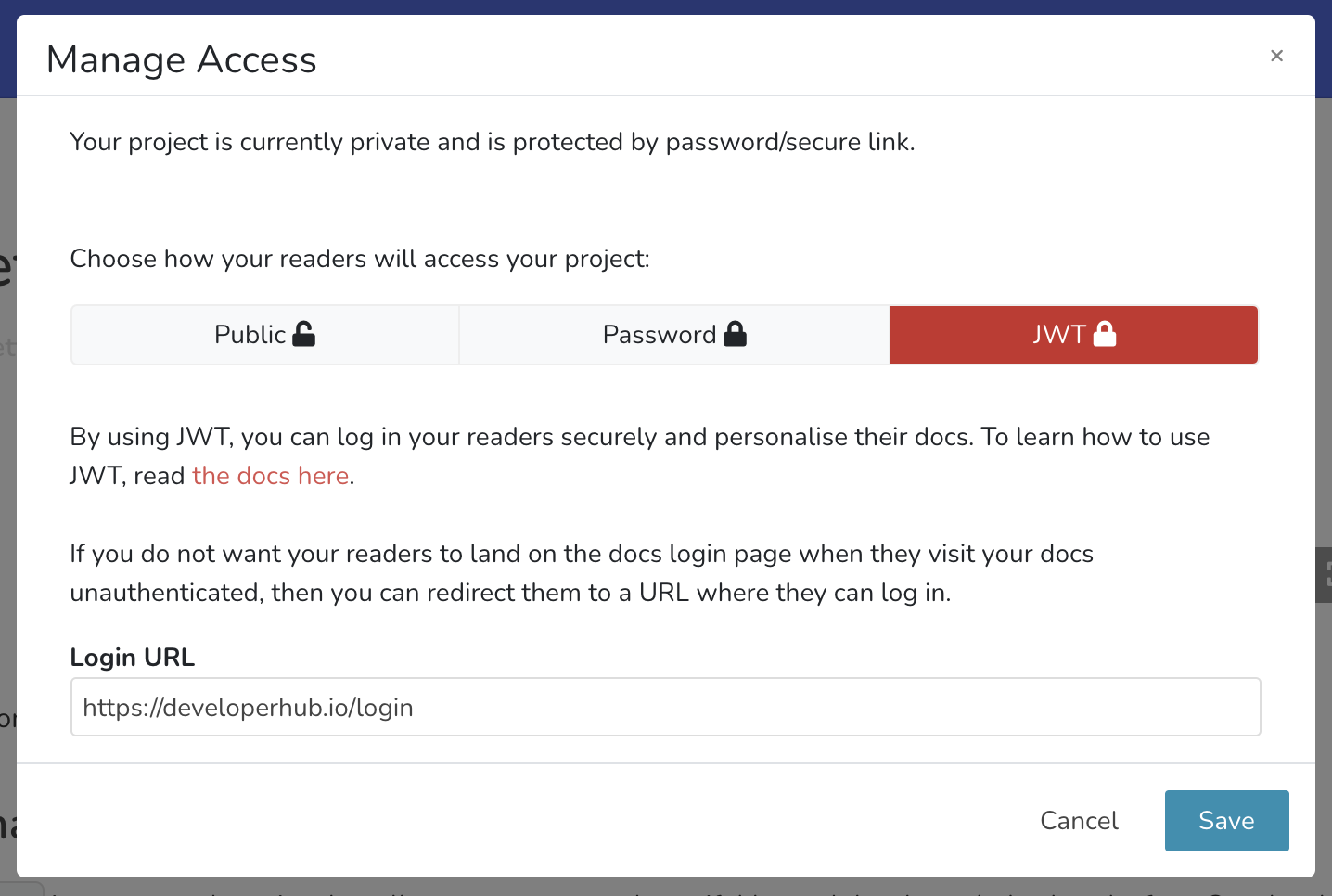
To set up JWT login on DeveloperHub, follow these steps:
From the sidebar, choose Project Settings .
Under General Settings, choose Make Private (or Manage Access).
Select JWT.
Provide a login URL, read more about login URL here.
Click Save.
Signing JWT
To access your docs site, you need to sign a JWT token using an API Key with access.write permission. First, make sure you have generated the API Key. The supported signing algorithms are HS256 and HS512.
There are numerous libraries for most programming languages for signing JWT, see jwt.io for details,
Example code to sign the JWT:
After the URL is created, you can send your reader the generated URL to give them access to the docs.
To successfully sign a JWT (JSON Web Token), it is essential to have an API Key with the required access.write permission. Please remember that the API Key is a sensitive piece of information and must be kept confidential; it should never be shared publicly or stored in insecure locations.
To make it easier, you can generate a JWT directly from the Manage Access window by clicking on "Generate JWT" and choosing the expiry value.
Example Express App
An example express app which you may use:
Limiting Access to One Device
To restrict a single JWT token to one device, add a unique jti in the payload. For example:
In this example, a UUID was utilized to ensure the uniqueness of the jti parameter. However, any random sequence can be employed to achieve the same purpose.
If the same JWT is utilized to access a project again, the reader will be denied access and will receive a message stating, "Token has already been used."
Handling JWT Login Error
You can include an error_redirect_url in your JWT payload. If an error happens (like a token expiration or signature verification failure), the user will be sent to that URL with a query parameter dh_jwt_error that holds the error message.
Reader Authentication through SSO/Cognito/Salesforce
To set up reader authentication using SSO, Cognito, Salesforce, or other identity providers, follow these steps:
Once the reader visits the docs site without being logged in, they will be directed to the login URL you set up in DeveloperHub.
The login URL is a page you host that handles authentication using SSO, Cognito, Salesforce, other identity providers, or your own login system. Users log in as they usually do on your systems.
If you want to let the user access the docs, you should sign a JWT and then send the user back to the docs site with the token in the URL.
In summary: DeveloperHub does not connect directly with identity providers for reader authentication. Instead, it integrates through your backend systems, allowing for high customization and personalization of the docs for your users. If you have a login system in place, most of the reader authentication work is already done. You just need a new API GET endpoint (login URL) that signs the JWT.